Customization basics
The Speakeasy SDK pipeline uses sensible defaults to generate SDKs, but various customizations can improve the user experience. Customizations can be applied using the following methods:
- Modifying the OpenAPI document.
- Adding
x-speakeasyextensions to the OpenAPI document. - Editing the
gen.yamlfile in the SDK repository.
1. Modifying the OpenAPI document
The OpenAPI document is the foundation of SDK generation. Modifications to the OpenAPI document influence the structure, naming conventions, and functionality of generated SDKs.
Learn more about OpenAPI in the reference documentation.
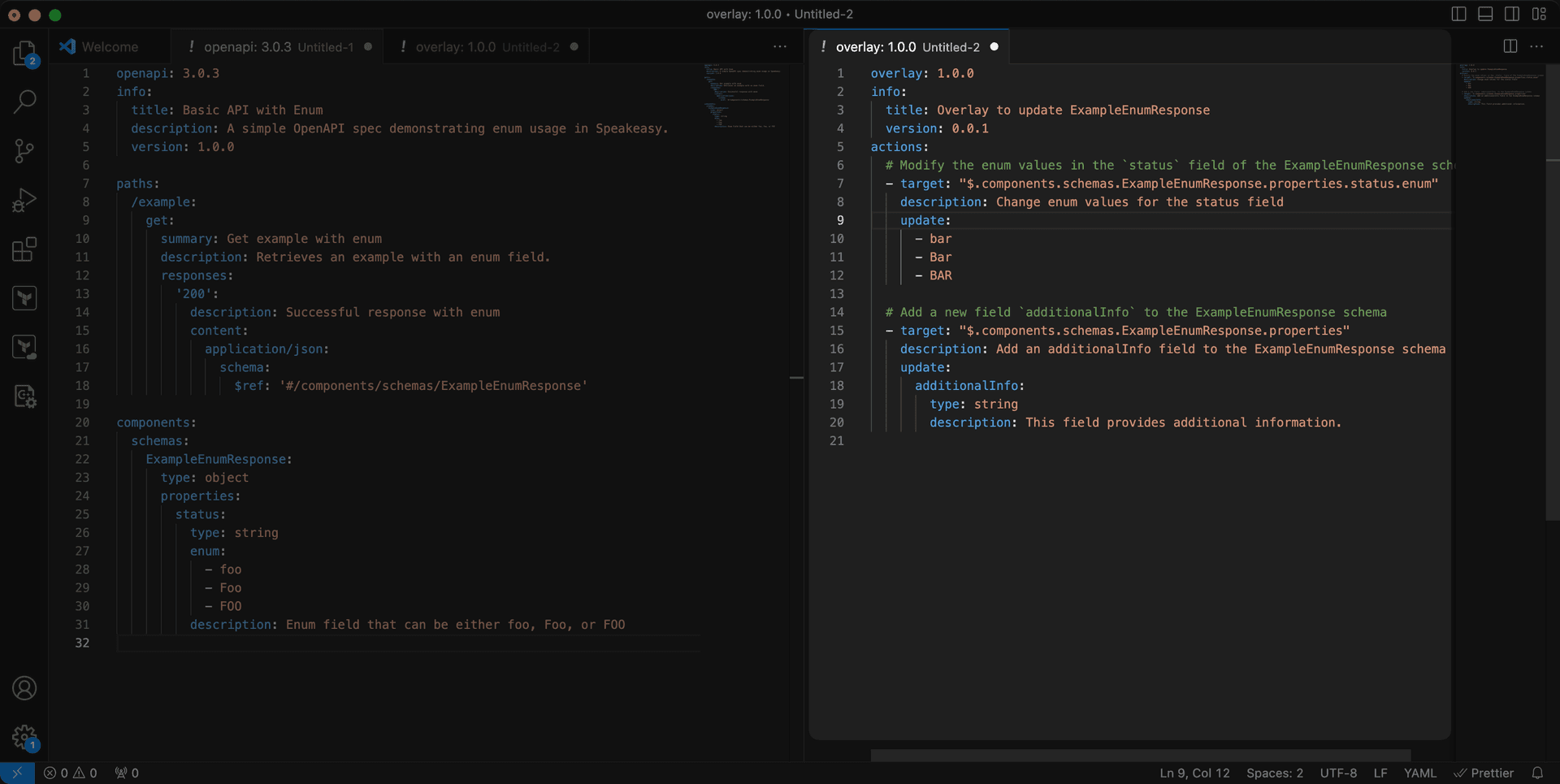
Modifying the OpenAPI document with overlays
Speakeasy supports OpenAPI overlays for customizing and extending existing OpenAPI documents without directly modifying them. Overlays are especially useful for applying different configurations or updates to the specification for various environments or SDKs without altering the base OpenAPI document.
Overlays work by referencing and extending parts of the base OpenAPI document. They can be used to add, override, or remove elements such as paths, schemas, parameters, or security configurations.
2. Using x-speakeasy extensions
Proprietary Speakeasy extensions provide fine-tuned control over the SDK, enabling modification of behaviors such as retries, pagination, error handling, and other advanced SDK features.
Add Speakeasy extensions to the OpenAPI document.
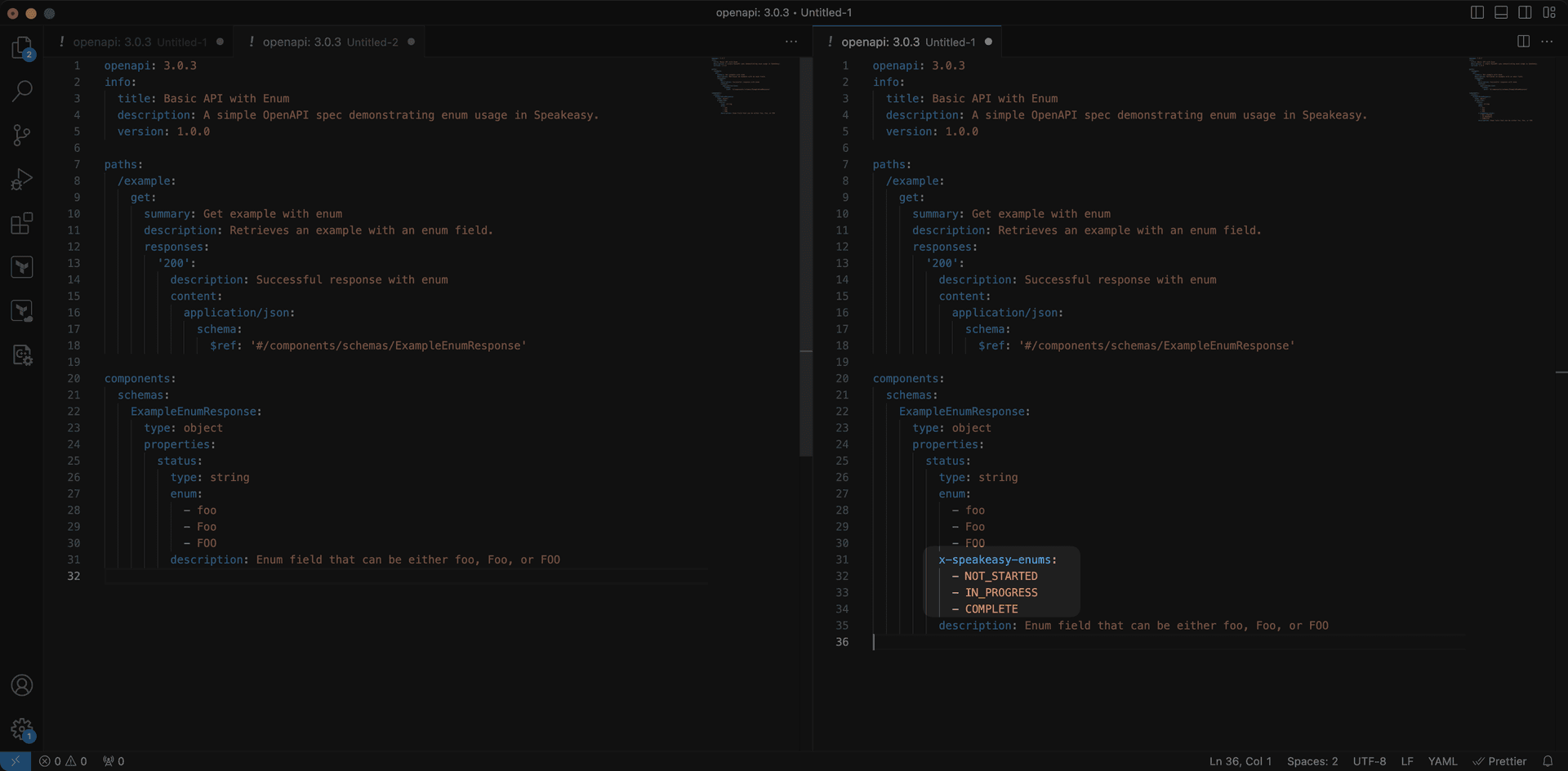
For a complete list of available extensions, see the Speakeasy extensions reference.
3. Editing the gen.yaml file
Further customize Speakeasy-generated SDKs by editing the gen.yaml file, typically located in the .speakeasy folder at the root of the SDK. This configuration file contains both language-agnostic and language-specific settings, offering more control over the structure and behavior of the SDK beyond what the OpenAPI document provides.
Edit the gen.yaml file to modify elements like class names, method parameters, and response formatting.
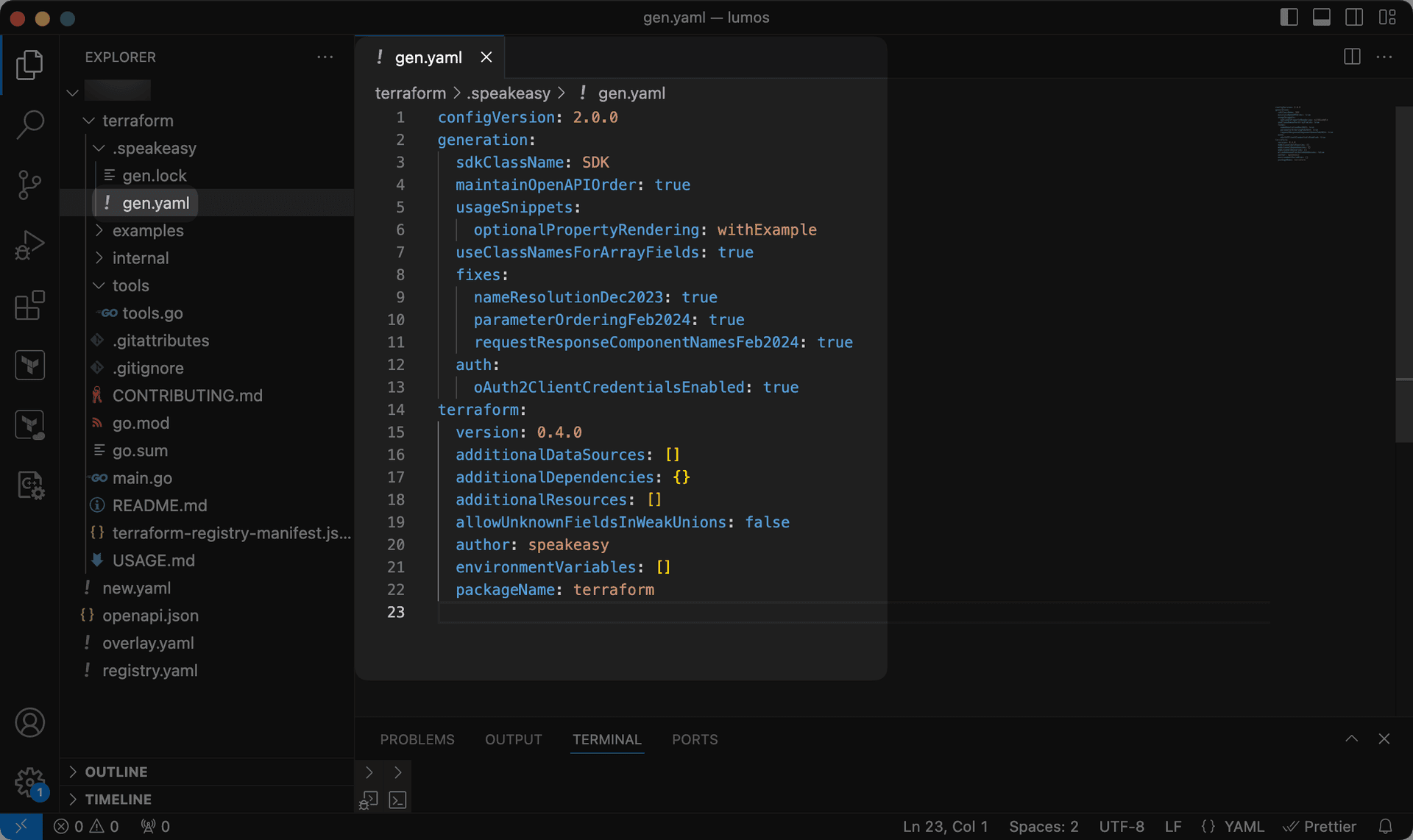
For a complete list of available options, refer to the gen.yaml reference.
4. Adding custom code to SDKs
Speakeasy provides two approaches for adding custom code to generated SDKs:
SDK hooks
SDK hooks enable custom logic at various points in the SDK request lifecycle, including SDK initialization, before requests, after successful responses, and after errors.
Best for:
- Custom authentication and security schemes
- Request/response transformations
- Tracing and logging
- HTTP client customization
Custom code
Custom code allows custom changes anywhere in the generated SDK. Modifications are automatically preserved across regenerations using intelligent 3-way merging.
Best for:
- Adding utility methods to models
- Extending SDK initialization
- Extending SDK methods (such as interactions hard to model with OpenAPI)
SDK dependencies
Speakeasy-generated SDKs use dependencies and tools selected based on extensive testing and best practices for each language ecosystem.
Dependency version management
Speakeasy does not provide an out-of-the-box way to change the versions of dependencies that are automatically added to generated SDKs. This design decision ensures that:
-
All SDKs use dependencies thoroughly tested with the generator
-
Compatibility issues between dependencies are minimized
-
Security vulnerabilities in dependencies can be addressed systematically
For specific dependency versions, the recommended approach is:
- Post-generation scripts: Implement a post-generation build process that modifies dependency specifications before building or publishing the SDK. This can be integrated into the CI/CD pipeline to run automatically after SDK generation.
For example, create a script that:
-
Parses and modifies package.json, requirements.txt, go.mod, or other dependency files
-
Updates specific dependency versions to meet requirements
-
Runs before the build or publish step in the workflow
- Contact Speakeasy support: For enterprise customers with specific dependency requirements, contact Speakeasy support to discuss custom solutions.
Caution
Modifying dependency versions may lead to compatibility issues or unexpected behavior. Proceed with caution and thorough testing.
Last updated on